User Guide - Declare Cooperable Computers
When a task temporarily needs remote compute — or you want the current session's agent to operate on a few other machines — you can declare, just once, which computers it may cooperate with: a "cooperable-computers list + aimux usage" is sent as an ordinary message to the current agent, which can then reach those machines via
aimux.Unlike Add Remote Compute, which writes a project Memory that every new session inherits, a declaration only affects the current session and writes no Memory — use it and forget it, without polluting long-term project memory.
1. Click "Cooperable Computers" in the session toolbar
Open any execution session (Session). In the input-area toolbar, find the amber [Cooperable Computers] button (a network icon, between "Open Terminal" and "Switch Model & Continue").

2. Pick the remote computers to declare
The "Declare Cooperable Computers" modal reads the local aimux remote list (hosts in ~/.ssh/config plus connected desktop bridges). Check the machines you authorize for this session; the right side generates the declaration text live.
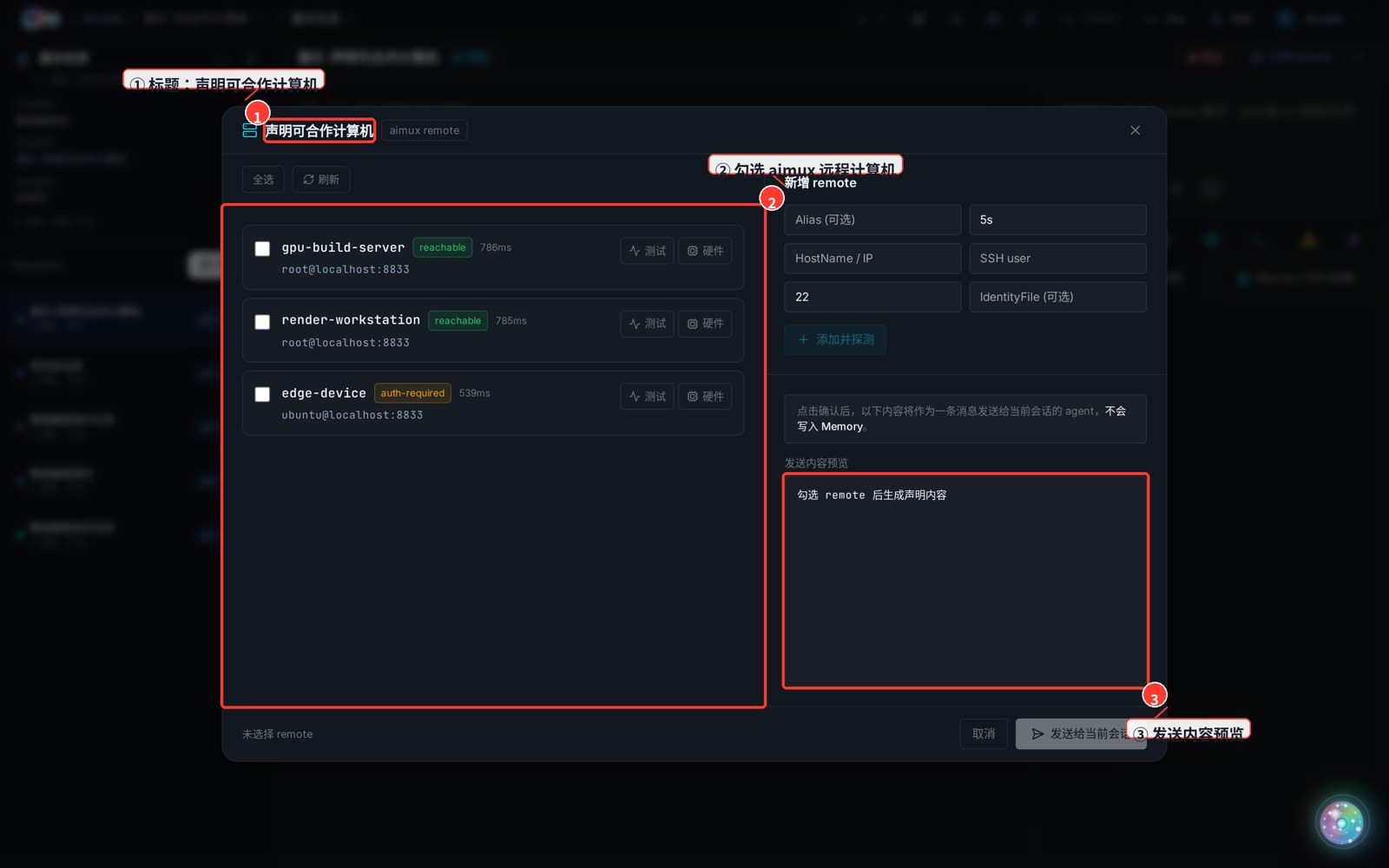
- ① Remote computer list:
reachable= passwordless SSH verified;auth-required= reachable but auth not yet set up;connected= a connected desktop bridge. - ② Select: pick one by one, or "Select all".
- ③ Send-content preview: a Markdown declaration (host table + aimux usage) is generated live as you select.
3. Confirm → Send to current session
Once you're happy with the preview, click [Send to current session] at the bottom right.
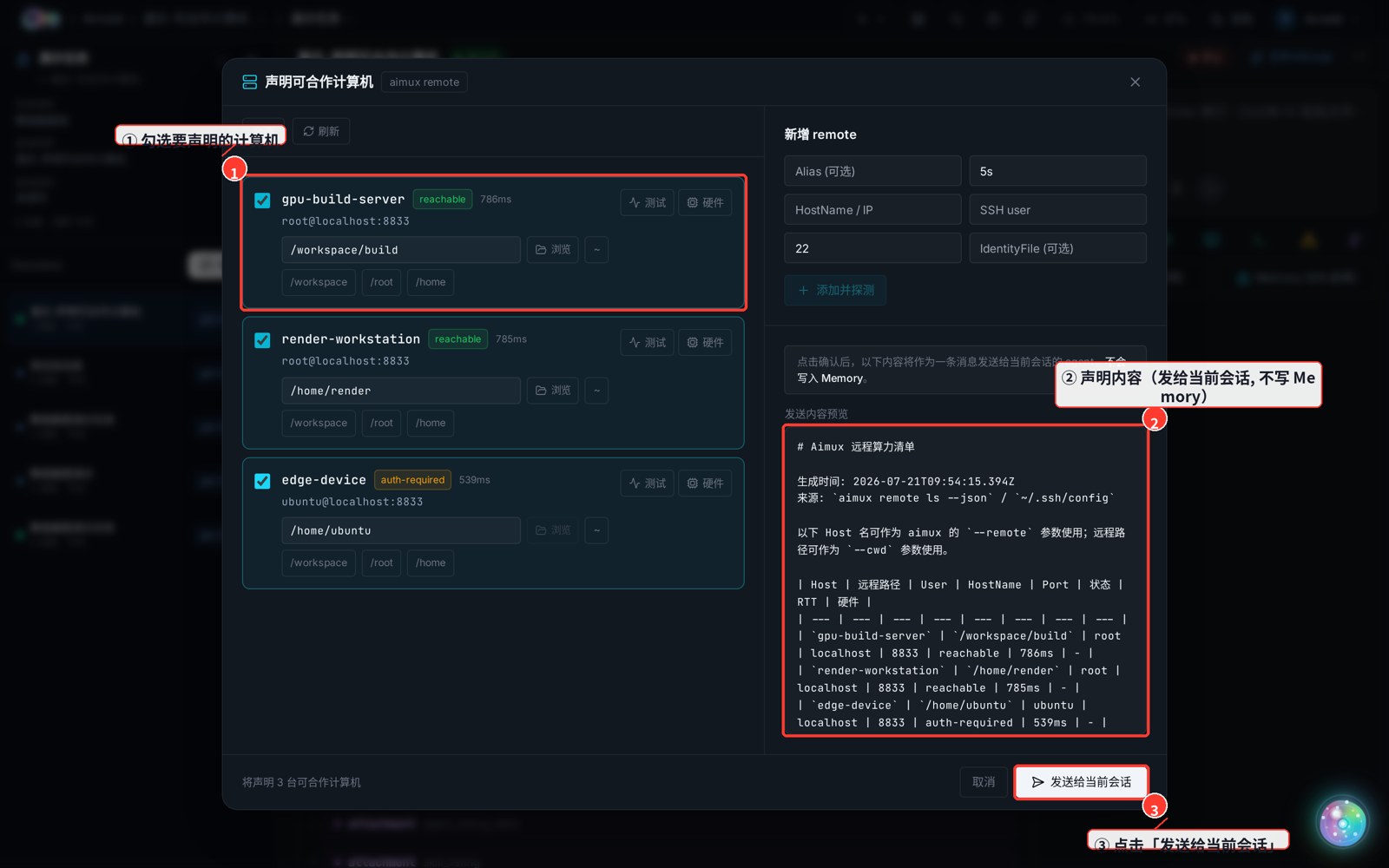
Note the banner: after you confirm, the content is sent to the current session's agent as a single message — it is NOT written to Memory.
4. The declaration is delivered to the agent
The declaration lands in the conversation as a normal user message, starting with 【用户声明:以下计算机可与当前会话的 agent 合作……】 ("User declares: the following computers may cooperate with this session's agent…"). Once the current agent reads it, it can connect to and drive those machines during this task via aimux new --remote <Host> ....
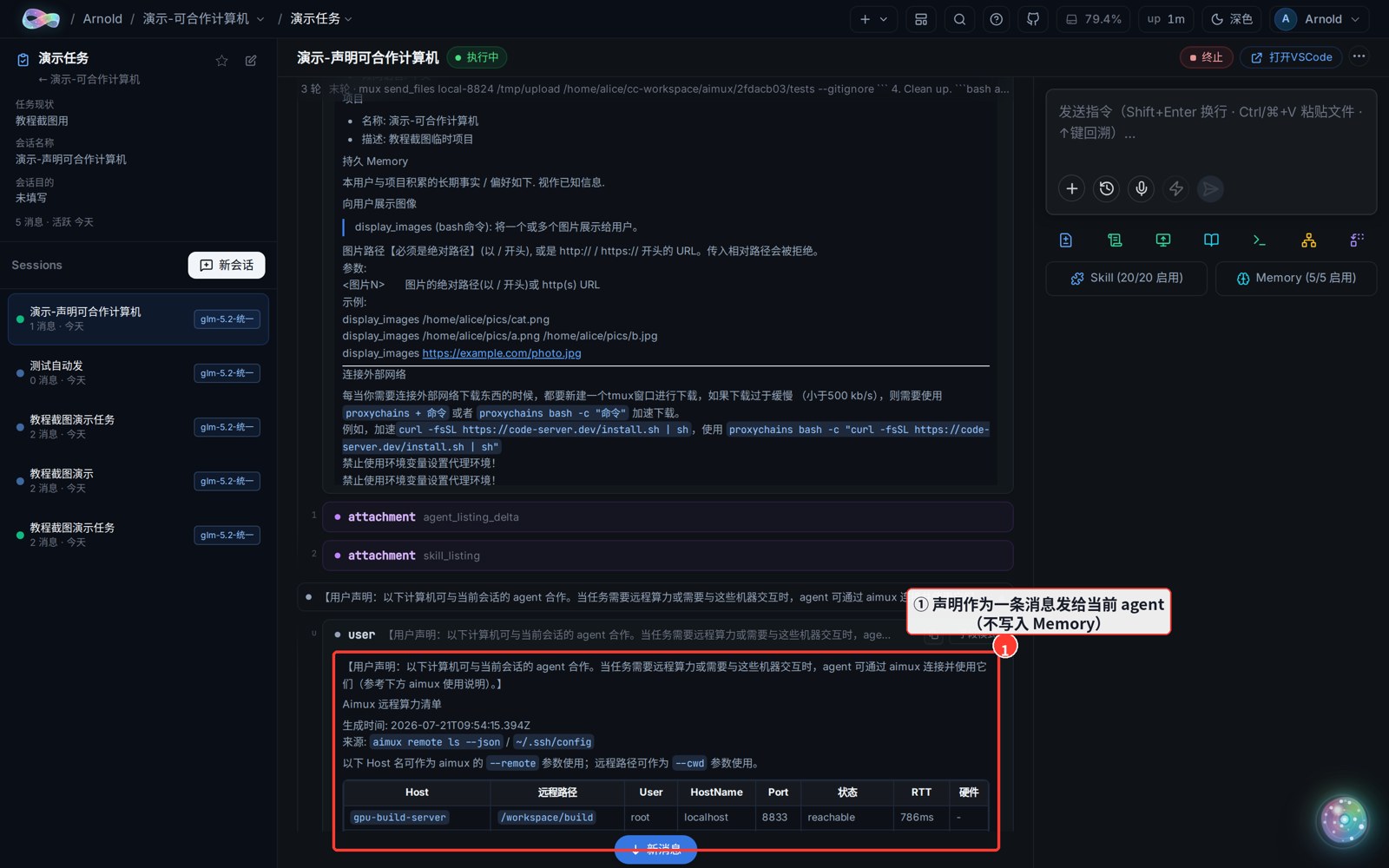
Tip: A declaration is one-shot — it lives only in the current session and is gone when you switch. If a machine is needed for almost every task, Add Remote Compute into project Memory is less work; for a machine you only need this once, use Declare.