View Current Knowledge
Mobius splits the knowledge a session can "see" into two layers: project knowledge (project-level shared experience, shared by all sessions in the project) and task knowledge (relevant only to the current Issue). Inside any execution session you can open the "View Current Knowledge" editor anytime to inspect and edit both layers.
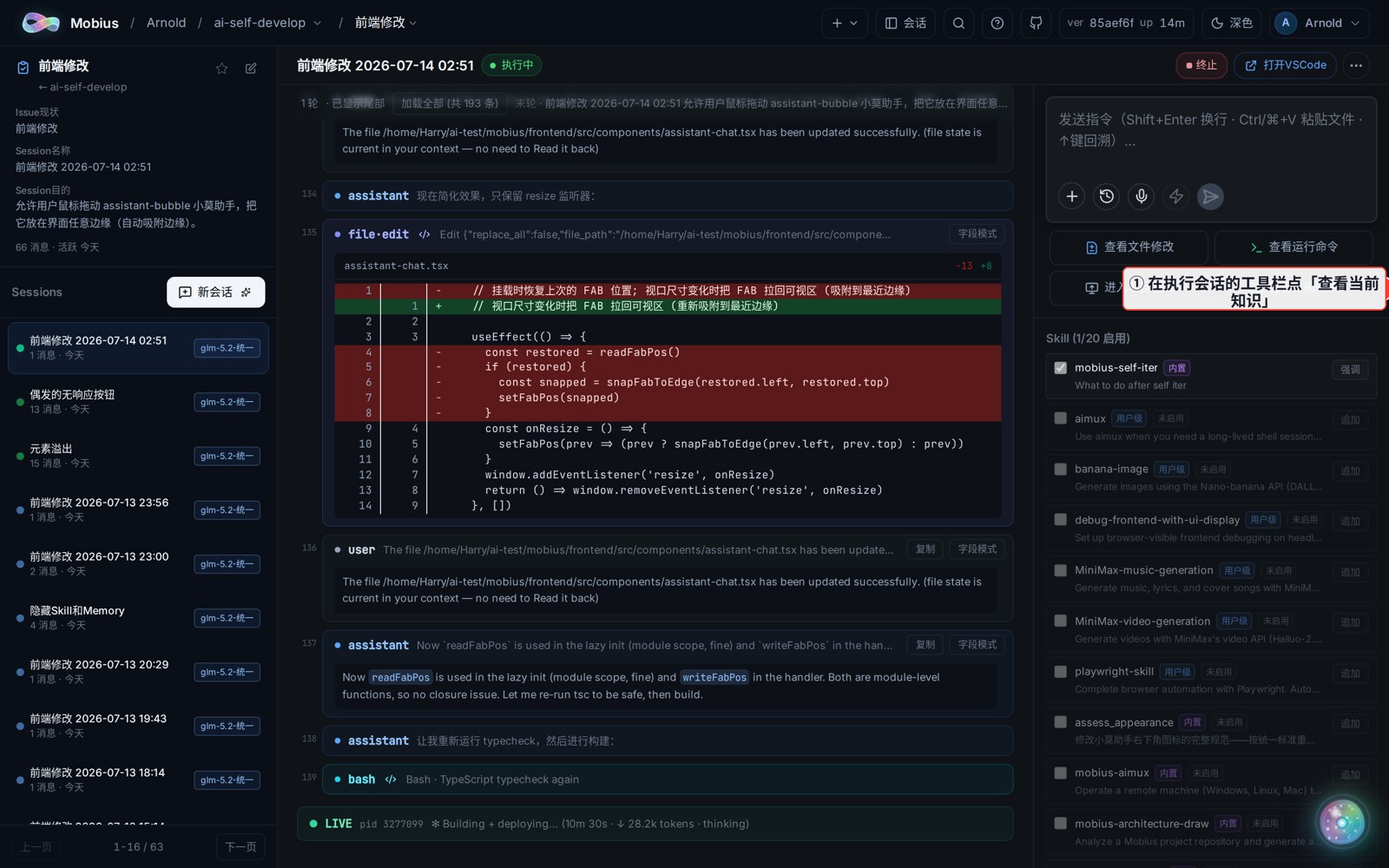
1. Click "View Current Knowledge" in the session toolbar
- Open any execution session (Session) in a project and click "查看当前知识" ("View Current Knowledge") in the bottom toolbar.
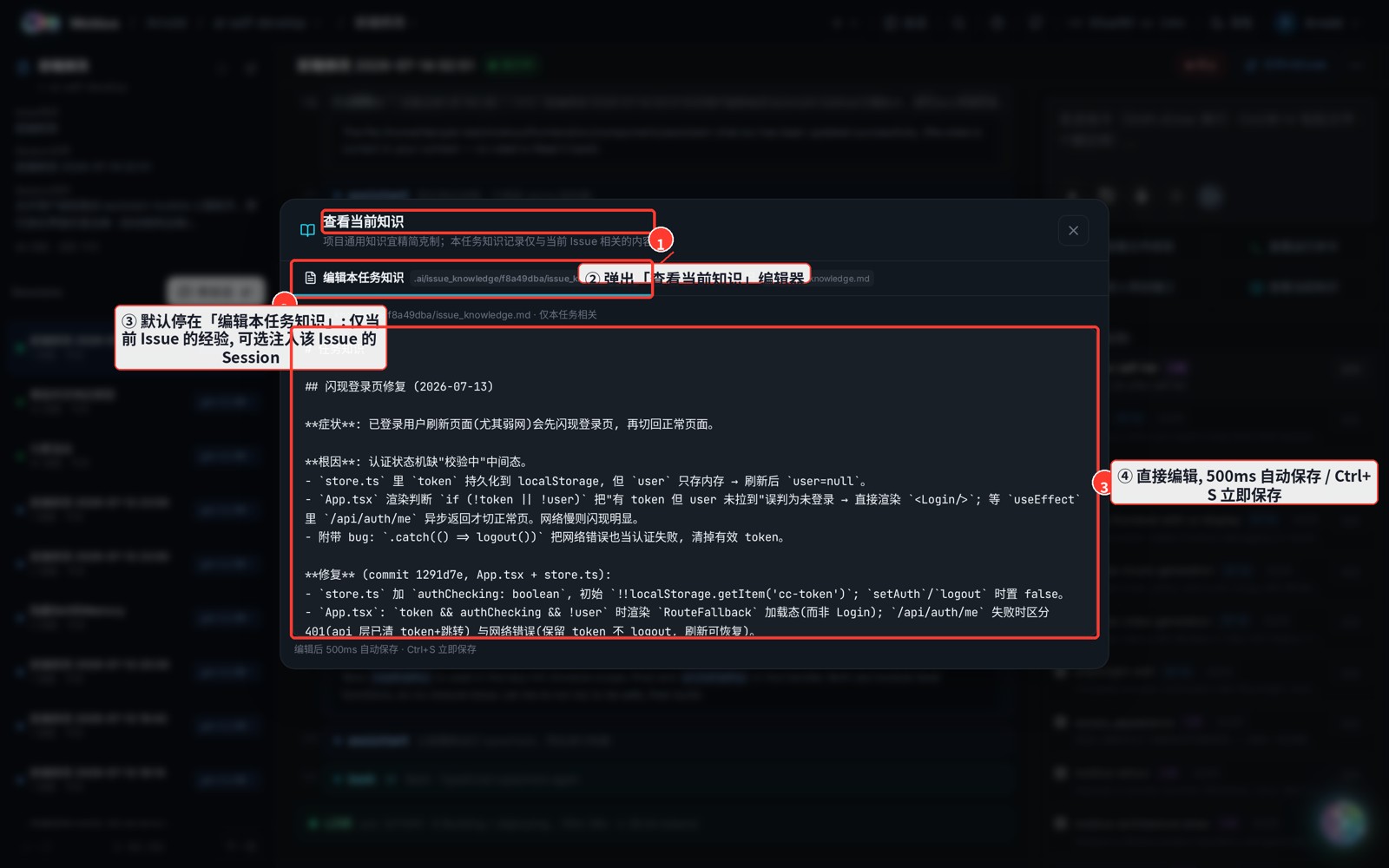
2. The dual-tab editor
- The editor opens, defaulting to "编辑本任务知识" ("Edit task knowledge") — notes relevant only to the current Issue, injectable as an optional Memory into this Issue's sessions.
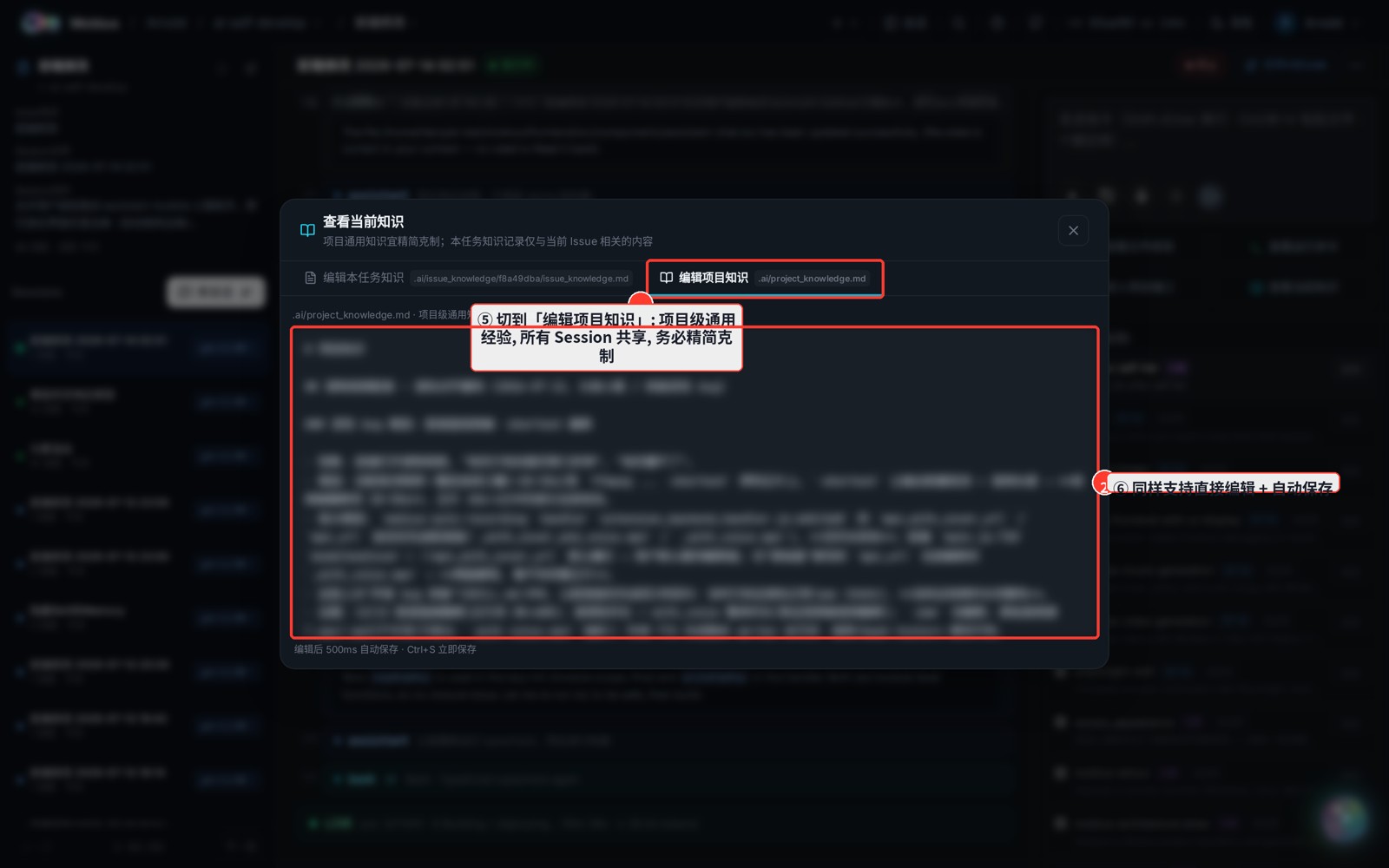
3. Switch to "Edit project knowledge"
- Switch to "编辑项目知识" at the top — for project-wide facts, common practices, and reusable experience.
How the two layers divide the work
- Project knowledge should stay concise and restrained: one project holds many Issues, so put only genuinely universal things here.
- Task knowledge holds details relevant only to the current task — writing a lot here never affects other tasks.
- Both layers edit inline and auto-save every 500ms, or press
Ctrl+S/Cmd+Sto save immediately. Edits made within the last 500ms before switching tabs or closing are flushed automatically — nothing is lost.
Where the files live
- Project knowledge →
<hidden-folder>/project_knowledge.md - Task knowledge →
<hidden-folder>/issue_knowledge/<IssueId>/issue_knowledge.md
<hidden-folder> defaults to .imac (this machine) or .mobius (new installs). Task knowledge is injected as an optional Memory into this Issue's sessions by default — you can toggle it when creating a session.