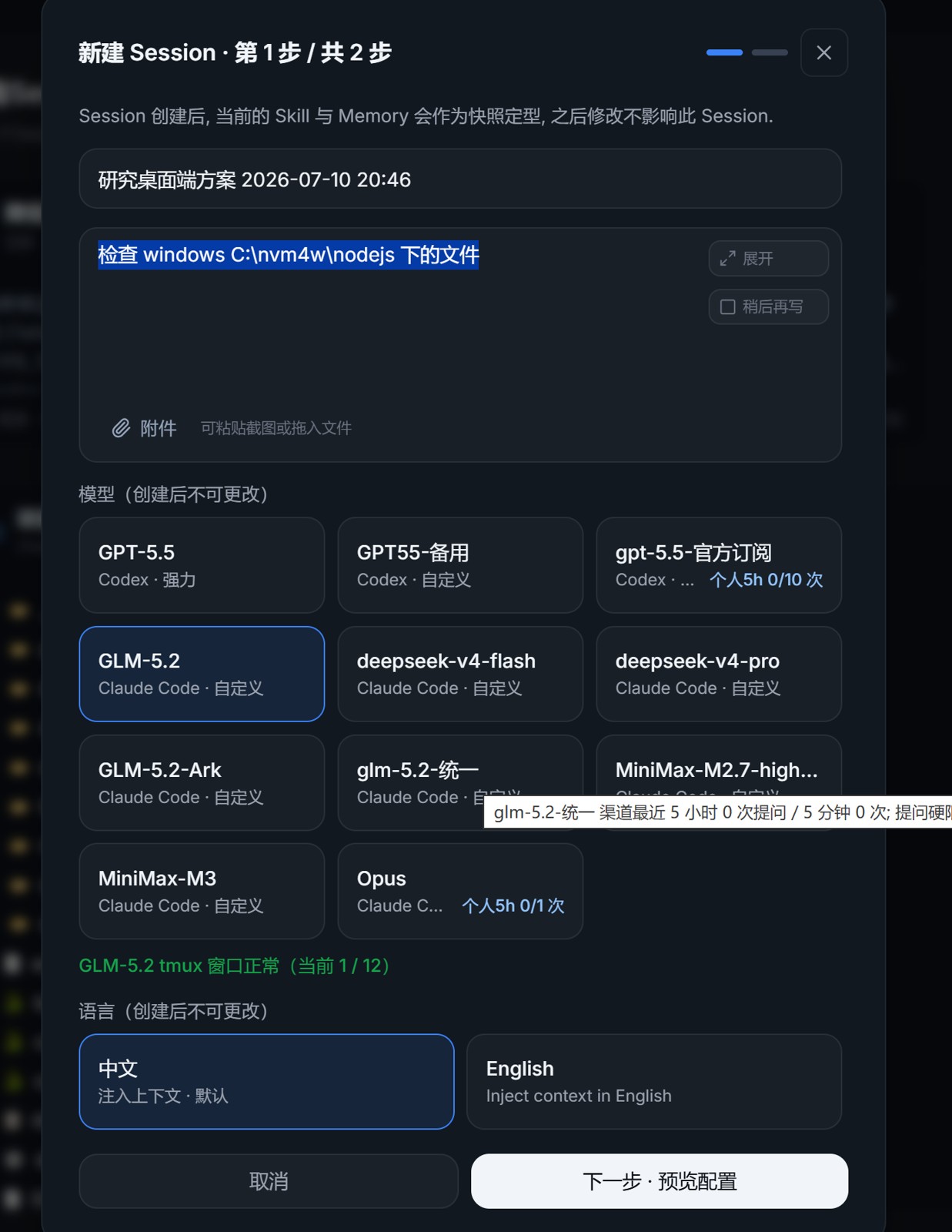
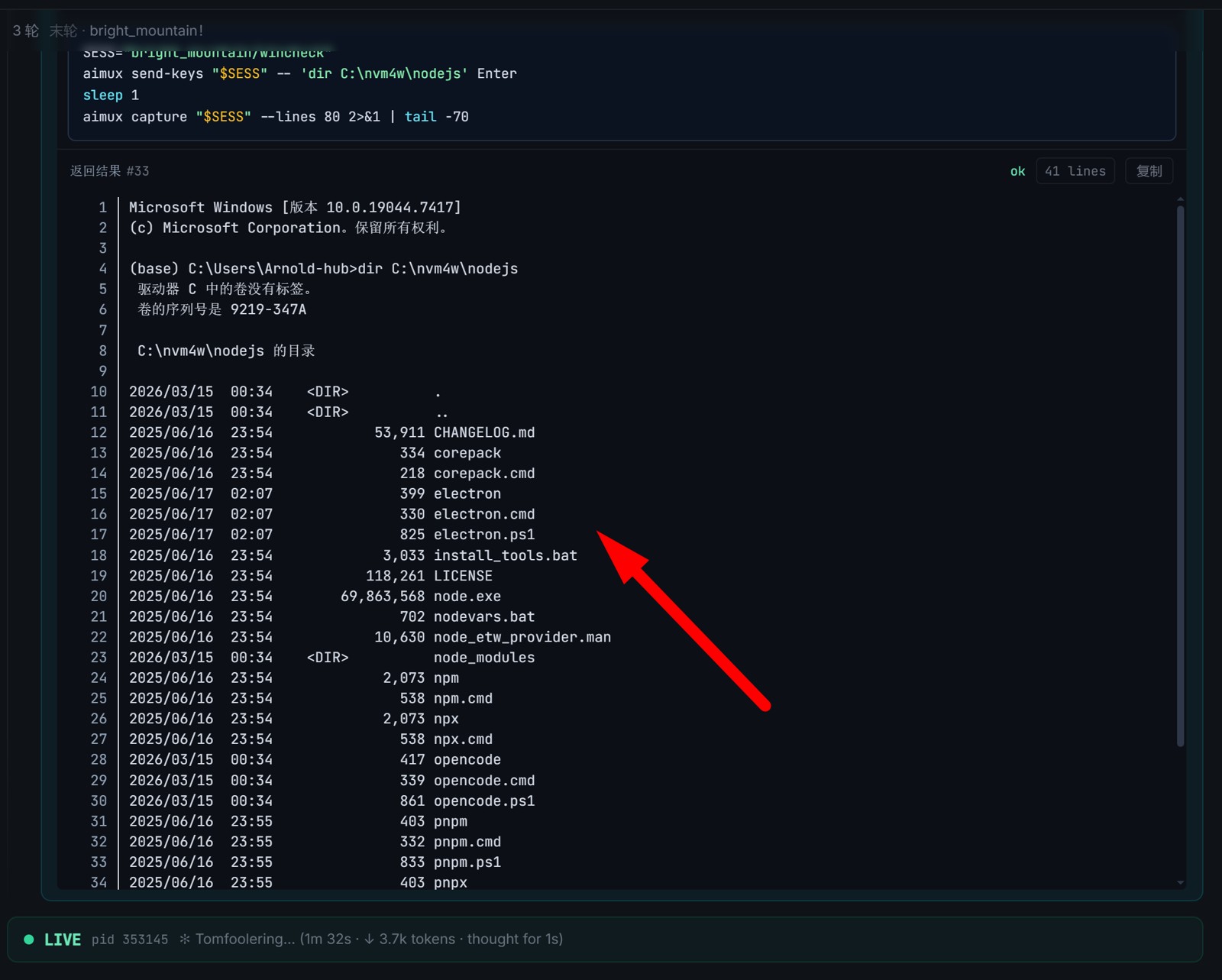
Connect to Mobius from Your Workstation or Laptop
A personal workstation or laptop can also connect directly to the Mobius system. There are two main ways:
- Connect via the aimux + Python command line
- Connect via the desktop client
This guide covers the first approach.
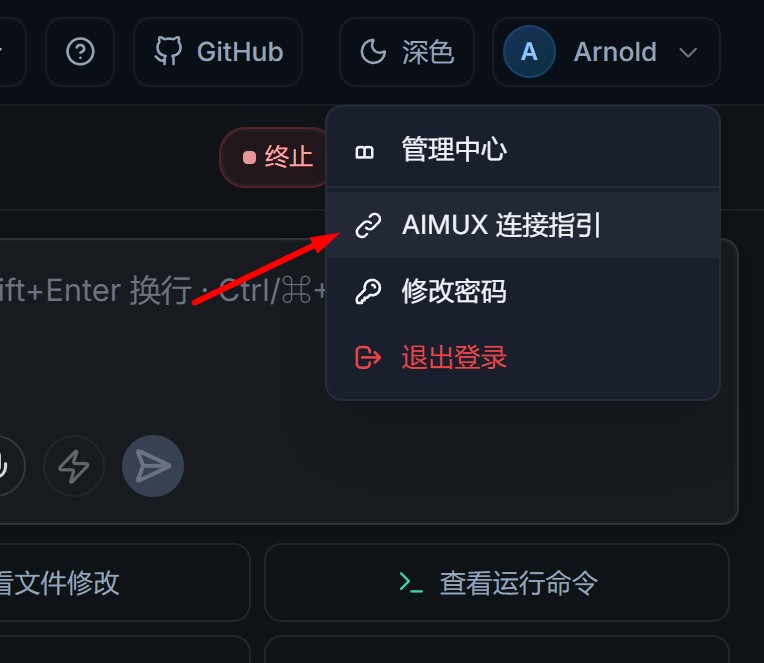
Step 1: Open the connection guide
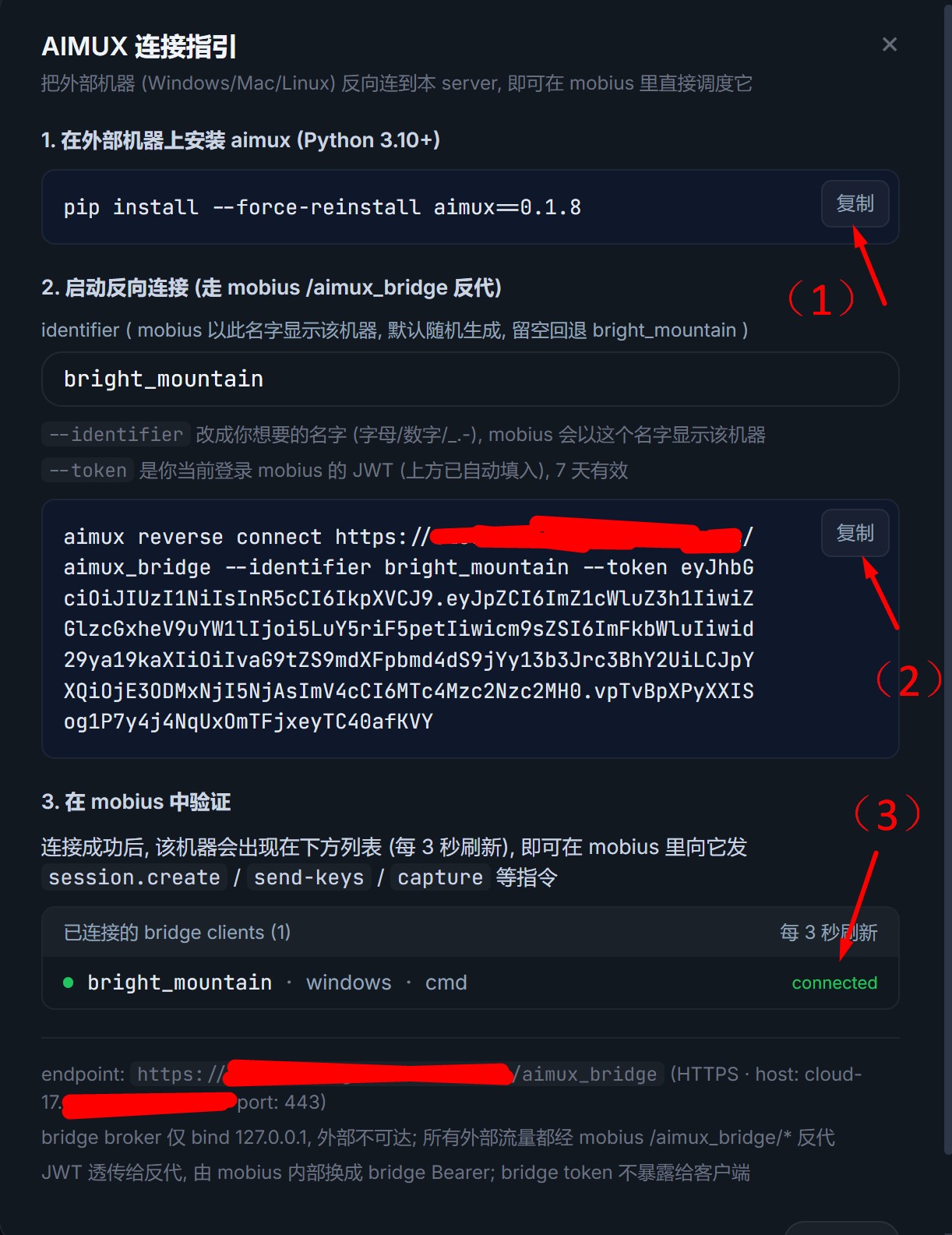
Step 2: Click the copy button to copy the first install command
Copy (1).
Step 3: Open a terminal, start the install, paste the command you just copied
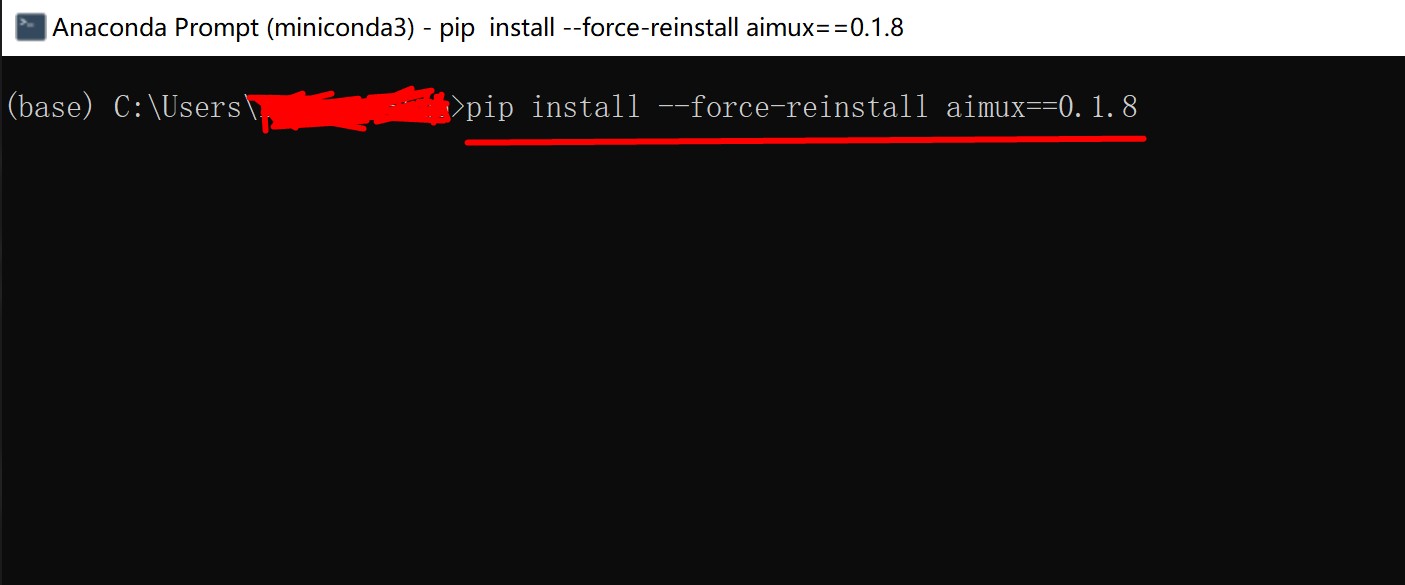
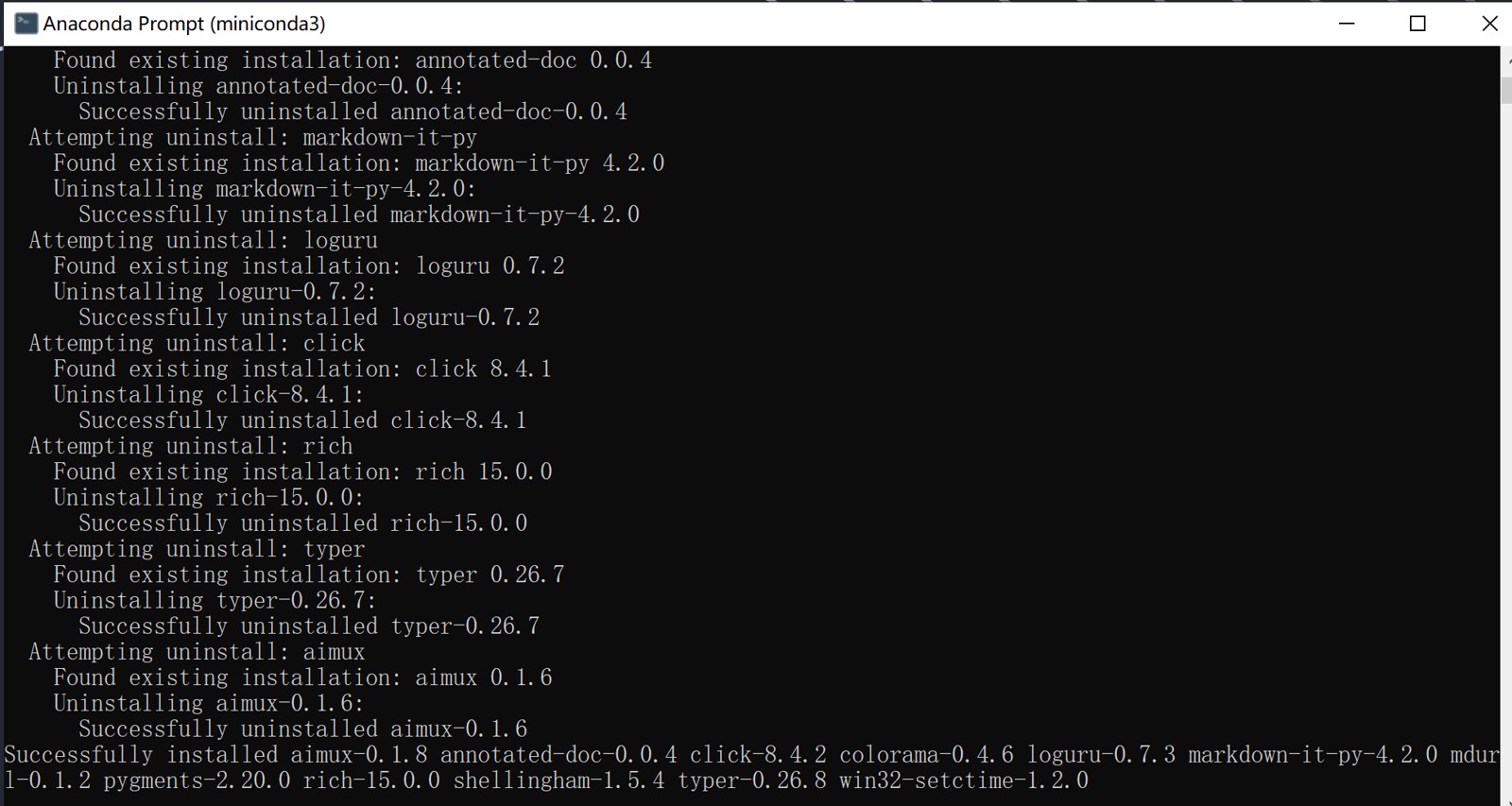
Step 4: Copy the connect command and paste it into the terminal
This time, copy (2).
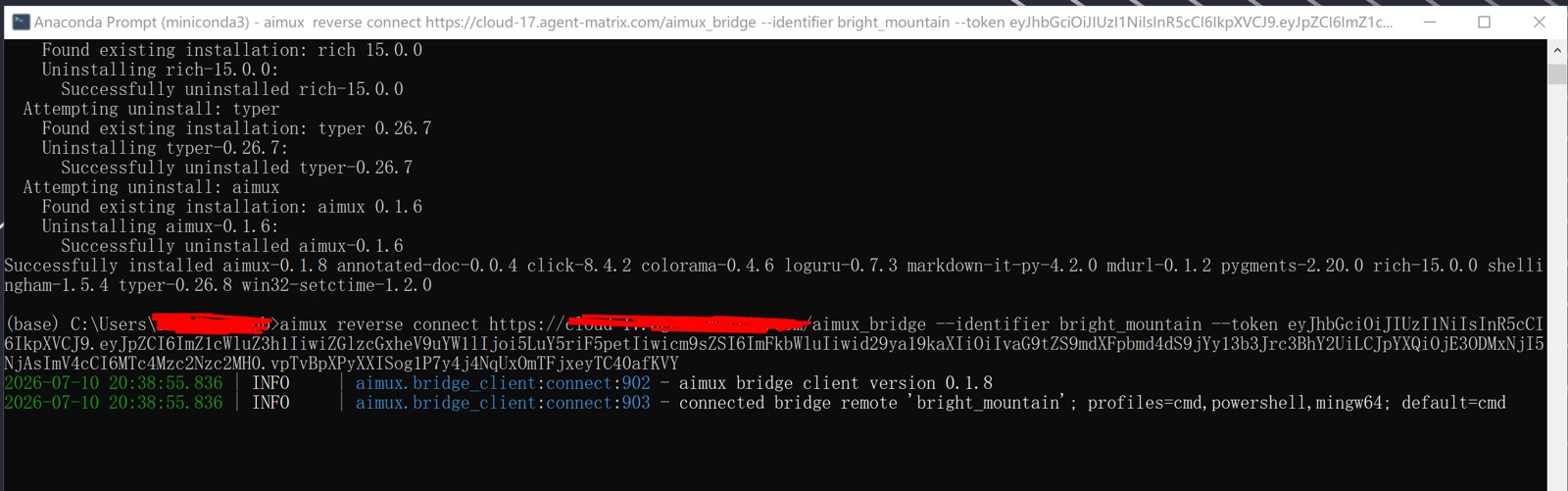
Step 5: View the connection (3)
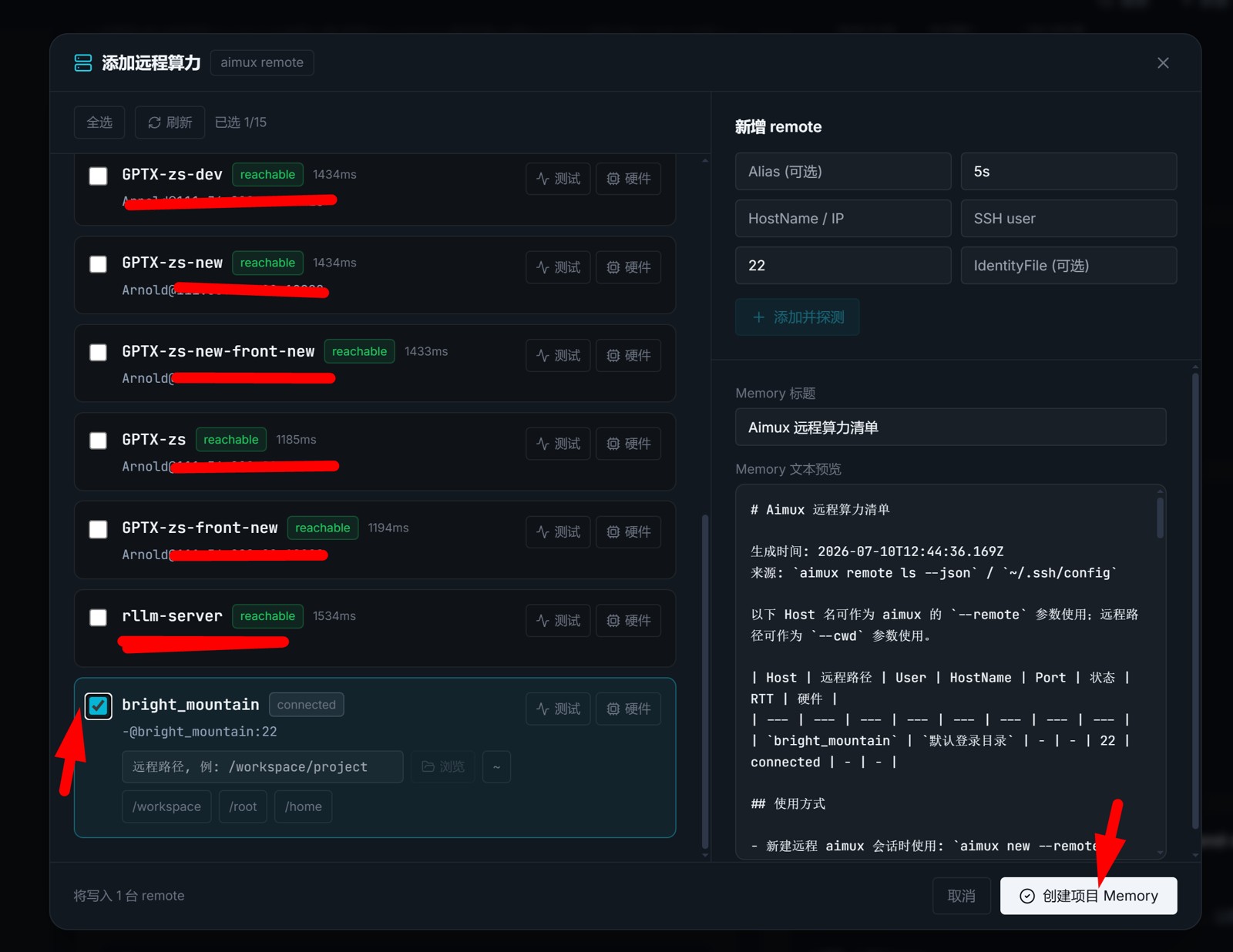
Step 6: Insert the remote link into the project memory
Step 7: Create a task and test it
For example: list the files under some path on Windows.